Trader-built · Precision trend toolkit

Cut losses fast.
Hold winners longer.

A premium trend-following indicator designed to keep you out of chop, reduce emotional overtrading, and help you hold the trades that matter.

Invite-only access (TradingView) Activation after checkout Updates included
Trend-Sniper Indicator
Focus trend only Goal clean entries Style disciplined

Trade less. Trade cleaner.

Most losses come from chop, overtrading, and exiting winners too early. NetsGain is built to keep you focused on high-quality trends.

Problem

Chop steals your focus

In sideways markets, signals look “okay” but the edge is small. That’s where most traders bleed.

Solution

Trend-first filtering

Highlights cleaner opportunities and reduces low-quality noise so you can stop forcing trades.

Result

Small losses, Bigger winners

A workflow designed around discipline: cut faster when wrong, and hold longer when right.

Built like professional software — not a flashy indicator

Every element exists for one reason: faster decisions, less noise, and more confidence when it matters.

🎯

Precision Trend Entries

Only highlights high-quality trend conditions—so you stop reacting and start executing.

🛡️

Risk Discipline

Optimized for the core philosophy: small loss, big trend.

📈

Hold Winners Longer

Guidance that helps you avoid taking profits too early.

🧼

Clean Visuals

Premium UI style that’s readable and calm during volatility.

🔒

Invite-only (TradingView)

Private indicator access granted by your TradingView username.

Built by a Trader

Designed from real market experience — not generic code.

How it works

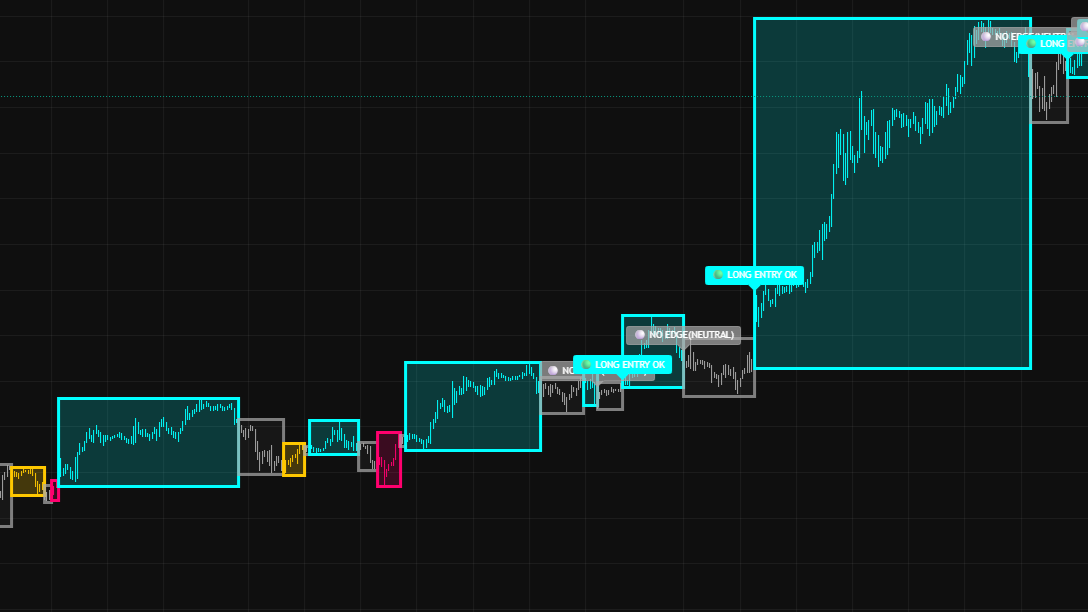
Four zones. One decision: long, short, wait, or caution.

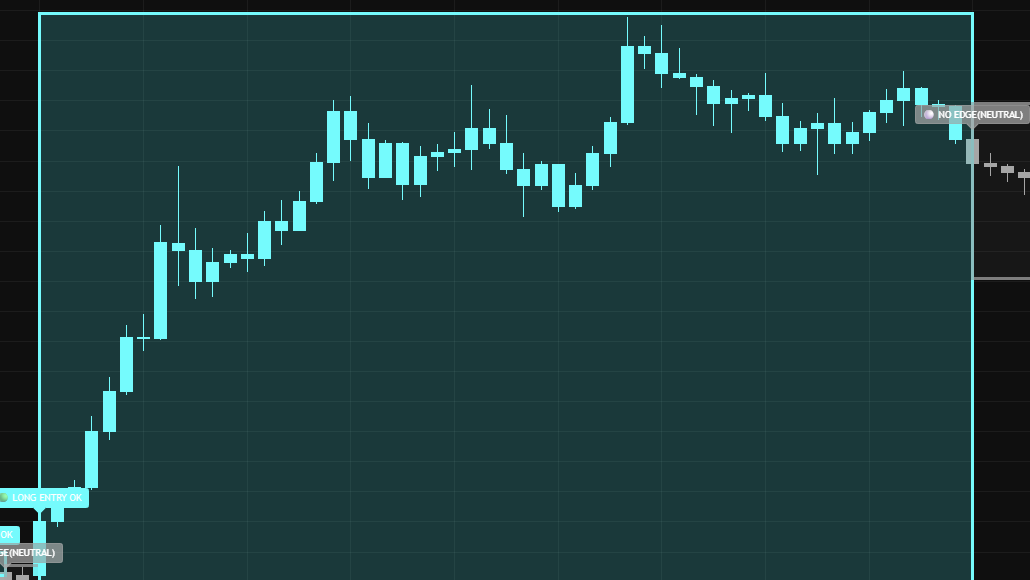
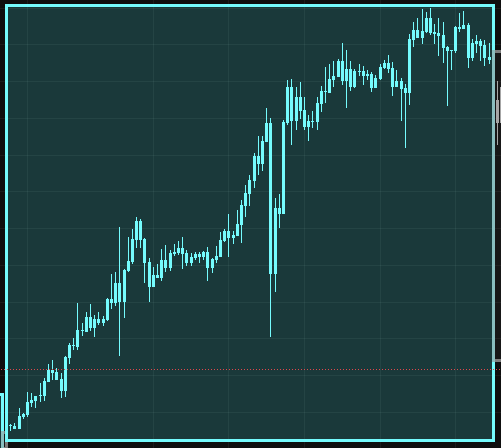
Bullish Zone example
Bullish Zone (Blue)
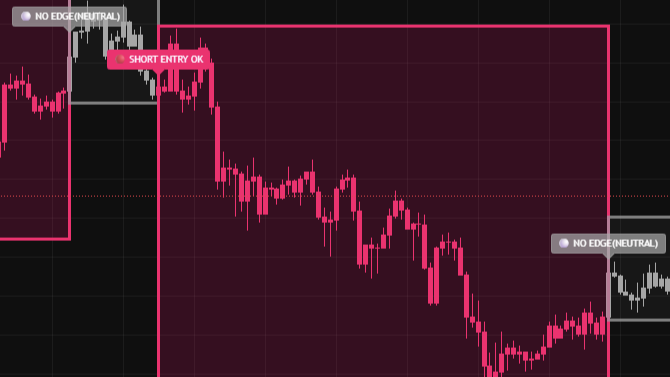
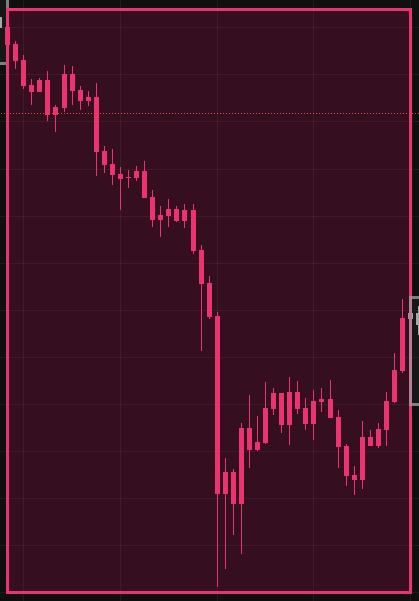
Bearish Zone example
Bearish Zone (Red)
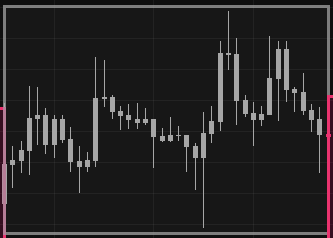
Neutral Zone example
Neutral Zone (Grey)
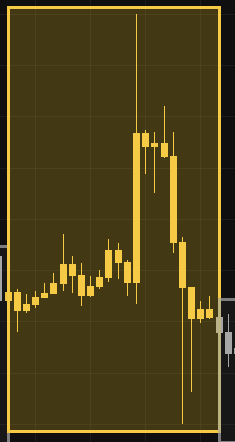
Overextended Zone example
Overextended (Yellow)
A trend framework — not “signals”
TrendSniper maps price into clear zones using trend structure and volatility, so you always know when to push, pause, or protect.
1) Read the zone Each bar is classified into one of four market states.
2) Trade with bias Blue favors longs. Red favors shorts. No guessing.
3) Avoid chop Grey = no edge. Reduce overtrading and protect capital.
4) Don’t chase late moves Yellow = overextended. Higher risk if you enter too late.
Overextension Filter
Control how strict the indicator is
Lower → stricter, safer entries
Higher → more flexibility, more signals
Recommended range: 0.20 – 0.30
Markets Crypto, Forex, Stocks · Best performance on BTC & ETH Timeframe All timeframes supported · Higher timeframes reduce noise

See it on the chart

Capture real trends.

Live Example Trend Zones Entries

Pricing

Access is granted after checkout. No license keys. Invite-only TradingView access.

Current prices are locked until the timer ends.
00 : 00 : 00
DON’T MISS OUT
Monthly
$59
per month
  • Full indicator access with clearly defined market zones.
  • Private VIP Discord for updates, support, and announcements.
  • Flexible access · Cancel anytime
Get Started
Manual invite after payment
Alternative checkout: Whop
BEST VALUE
Lifetime
$1999
one-time
  • Full indicator access with clearly defined market zones.
  • Private VIP Discord for updates, support, and announcements.
  • Permanent access to all future updates
  • VIP support & early feature access
Get Started
One-time payment
Alternative checkout: Whop
Exchange fee rebates
If you don’t have an exchange account yet, you can use our partner links for fee discounts.
Discord
Join the Private Discord
Members-only updates, announcements, and support.
🔒 Locked (purchase required)
After purchase, you’ll be able to join instantly from the success screen.

FAQ

Quick answers to the most common questions.

How do I get access after payment?

After checkout, you’ll receive invite-only access to the indicator on TradingView. Access is usually granted within 24 hours (often faster).

Is this an automated trading bot?

No. NetsGain is a discretionary trading indicator. You remain fully in control of all trading decisions.

Which markets and timeframes work best?

Works on all markets and timeframes. Best performance is typically seen on BTC/ETH with higher timeframes[4H].

Can I get a refund?

Due to the digital nature of the product, payments are generally non-refundable once access is granted, unless required by law.

PayPal or Whop — what’s the difference?

Both provide the same access. Whop may be preferred for automated Discord access and alternative payment methods.

Do you offer support?

Yes. Support, updates, and announcements are handled through our Discord. This keeps communication clear, fast, and centralized for all users. For account or access-related issues, you may also contact us at [email protected]

Does this indicator repaint?

No. NetsGain does not repaint. All zones and signals are based on confirmed market data and remain fixed once printed.

How profitable is it?

Results vary by market conditions, timeframe, and trader execution. NetsGain is designed to improve decision quality by reducing noise, helping traders cut losses faster and stay aligned with strong trends.

Do you use this indicator yourself?

Yes. NetsGain is built and used internally by systematic traders who have learned that consistency comes from discipline, not prediction. The indicator was shaped by real trading experience — filtering noise, controlling risk, and waiting for the market to align. Individual results will always vary.

Who is this indicator for?

NetsGain is suitable for both beginners and experienced traders. It visually maps market conditions into clear zones, helping beginners avoid emotional trades while allowing experienced traders to execute with discipline.